
App Privacy Report: 542 events, and the number a viral post got wrong
iOS's hidden log counts how often apps touch your mic, camera, photos and contacts, and which servers they call. Two posts read 48 hours of it with Claude Code. The log is real; one headline figure is not.
Key takeaways
- App Privacy Report, shipped in iOS 15.2, counts how many times and when each app accessed location, photos, camera, microphone and contacts in the last 7 days, and lists the domains it contacted; Apple says the data is encrypted and stored only on the device.
- It records that an access happened, never what was captured or where it went. The poster behind the viral thread says so himself: "It doesn't show what was recorded or where it went."
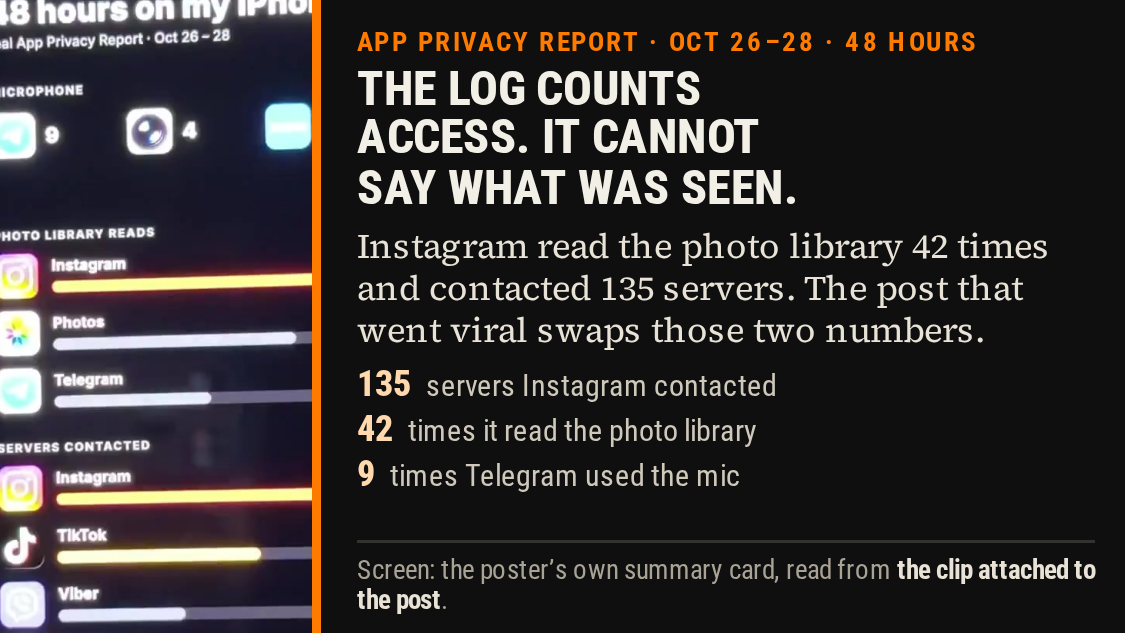
- The thread's headline figure, that Instagram opened its author's photos 135 times in 48 hours, is the servers-contacted number; the poster's own screenshot lists Instagram's photo-library reads at 42 and its servers contacted at 135.
- Meta documents the photo access as a feature that groups your camera roll and suggests content, and says nothing is shared unless you post it. The permission can be cut to Limited.
- The second post's two findings hold: a Google TV left signed into an account keeps playing that photo library in ambient mode and only a factory reset clears the preference, and a keyboard with Allow Full Access can send keystrokes to its developer's server, though not from password or phone-number fields.
The phone keeps a tally nobody reads
On Wednesday evening two posts went up on X, both from people who had switched on a privacy setting most iPhone owners have never opened, exported the file it produces, and handed that file to Claude Code.
The first, from @0xCortiq, opens: "🚨BREAKING : YOUR PHONE'S PHOTOS AND MICROPHONE ARE NOT PRIVATE ANY MORE!" It reports 542 events across nine apps: Instagram, TikTok, Telegram, Viber, and others, over 48 hours. "My iPhone is being listened to," it says. "Not calls. Not voice messages. Just the mic and photo. At night. In my pocket. While I was asleep."
The second, from @0xSolty, is not about being spied on. It is about a television. His sister left a Google TV signed into her Google account when she moved out of a flat in September 2025. The TV is still signed in. When it goes idle, it plays her Google Photos library to whatever room it is now in. "The people living there now get her camera roll on the big screen every time the TV goes idle... No one broke in. The TV just kept doing what she set it up to do."
Both stories are built on real Apple features and real Google defaults. One of them also contains a number that its own screenshot contradicts. That is worth working through carefully, because the setting these posts are advertising is genuinely useful and the way to use it is not to trust the first person who reads it out loud — including us.
What App Privacy Report actually is
Apple shipped it in iOS 15.2. You turn it on in Settings → Privacy & Security → App Privacy Report, and from then on it records what your apps do with the permissions you have granted them. Apple's own documentation describes four panels: Data & Sensor Access, App Network Activity, Website Network Activity, and Most Contacted Domains.
Data & Sensor Access "shows how many times and when an app accessed privacy-sensitive data or device sensors in the past 7 days" — location, photos, camera, microphone, contacts and more. The network panels list the web domains your apps contacted, splitting domains an app reaches directly from domains reached by content inside it.
Two properties matter more than the panels. First, the window is seven days, measured on a rolling basis: what these posts describe as a 48-hour snapshot is a slice of it. Second, the log lives on the phone. Apple: "The data in your App Privacy Report is encrypted and stored only on your device." Turn the feature off and the report is erased with it.
Apple also says something that cuts against the more alarming reading of these posts: "in some cases, an app may have access to data from your device without the app developer collecting that data. For example, if the data is kept only on your device." Access is a permission being exercised. It is not the same as a copy leaving the building.
The thing the log cannot tell you
Here is the sentence from the first post that matters most, and it is an honest one: "The log only shows that an app accessed the mic. It doesn't show what was recorded or where it went. That part nobody can see."
That is correct. App Privacy Report counts events, and names the domains an app contacted. It does not record audio, image contents, keystrokes, or where any of it was sent. A row saying Telegram used the microphone nine times is a row saying the mic was opened nine times.
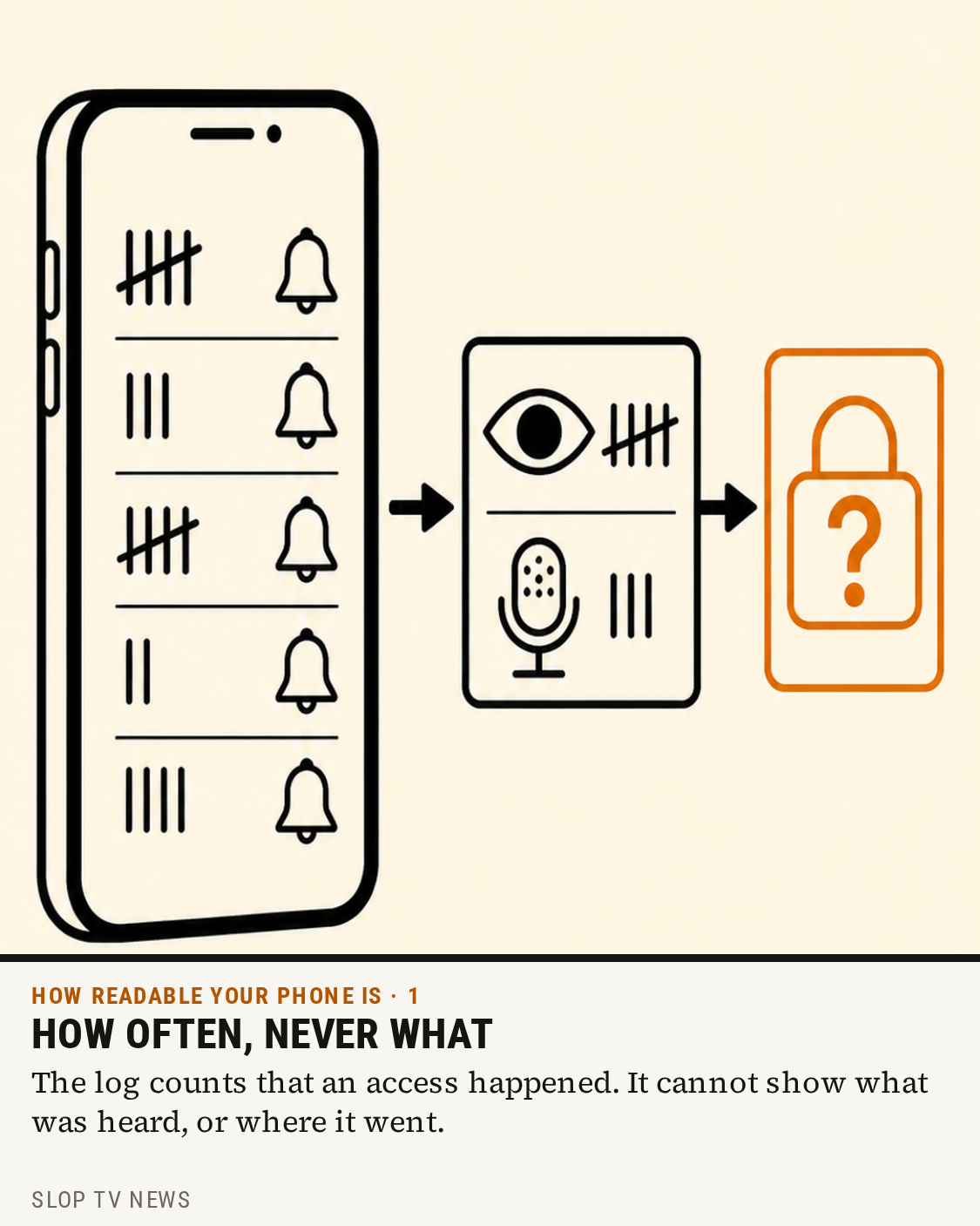
Illustration: SLOP TV News.
The system does have a live indicator for exactly this: since iOS 14, an orange dot in the status bar means the microphone is in use and a green one means the camera — or camera and microphone — are in use. Apple's page on it was updated on 22 October 2026.
So "my phone is being listened to" is not something this log can establish. What the log establishes is that apps you installed, and permissions you granted, are being exercised on a schedule.
The number that moved
The first post's most repeated figure is this: "in 48 hours, Instagram opened my photos 135 times, few times at night, and contacted 147 servers."
The clip attached to that post shows the poster's own summary card, recorded off the phone. Read at full size it says:
48 hours on my iPhone — real App Privacy Report · Oct 26–28
- Microphone: Telegram 9, and two more entries at 4 and 2 — with a green CLEAN badge
- Photo library reads: Instagram 42, Photos 34, Telegram 22
- Servers contacted: Instagram 135, TikTok 91, Viber 57, YouTube 56, X 54
Instagram's photo-library reads are 42. Instagram's servers-contacted count is 135. The post's text reports the second number as the first — the network figure, which is a count of domains reached, is doing the work of the photo figure. And 147, the number in the text, appears nowhere on the card.
The Telegram microphone figure checks out: the card shows Telegram at 9, and the post says "Telegram: microphone, 9 times." The card's mic panel also carries a CLEAN badge, which does not sit easily beside the post's claim that the phone is being listened to at night.
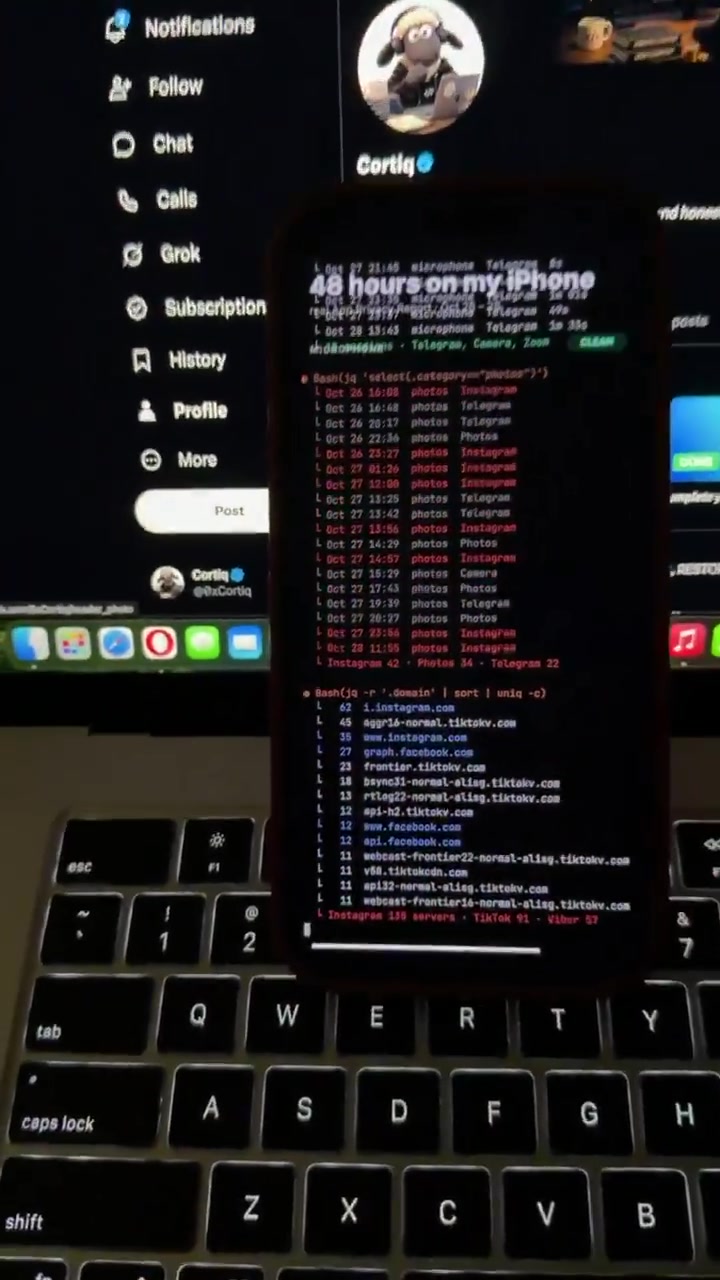
@0xCortiq on X, 28 October 2026. Source: https://x.com/0xcortiq/status/2115509729254318501.
None of which means the underlying observation is worthless. Apps reading the photo library 42 times in 48 hours is worth knowing. It is just not 135, and it is not the same kind of number as "servers contacted" — one measures the phone's own library being read, the other measures the internet being talked to.
Why Instagram reads the photo library at all
Meta documents the behavior. Its own help page, Manage Instagram's access to suggest content, says that if you allow access to metadata about the photos and videos on your device, "we can group your photos and videos in your gallery and suggest stories and posts. We can also prepare ready-made reels from photos and videos on your device camera roll."
It adds the limit that matters: "Your photos and videos won't be shared to Instagram unless you choose to post them as reels, posts or stories." Access exists so the app can offer you your own camera roll while you are composing. Instagram also lets you reset your suggested content if you want the app to forget what it has learned.
That is a design choice you can still overrule. Set the app's Photos permission to Limited and it can see only the images you hand it.
The rows the log explains less well
TikTok and location. The post says TikTok took location every five minutes, 83 times, all night. The card's TikTok row reads 91 under servers contacted, not location. What is documented is that TikTok's US privacy policy, rewritten after the majority-ownership change, states that it may collect precise location information when device location services are enabled — reported by WIRED, BBC News and CBS News. TikTok's own help center says location sharing is optional and controlled by the device setting. If a phone reports repeated location access, the permission that allows it was granted to something.
Viber and contacts. An app you have not opened in two years can still hold a contacts permission and refresh in the background. The FTC's September 2024 staff report, A Look Behind the Screens, examined nine companies including Meta and ByteDance and found "vast surveillance of consumers in order to monetize their personal information", collection and retention it called "woefully inadequate", data about non-users, and companies that "did not delete all user data in response to user deletion requests."
That report is the reason these posts found an audience. The instinct is sound even where the arithmetic is not.
The second post is the more useful one
Nothing in it requires a hidden log, and both problems are common.
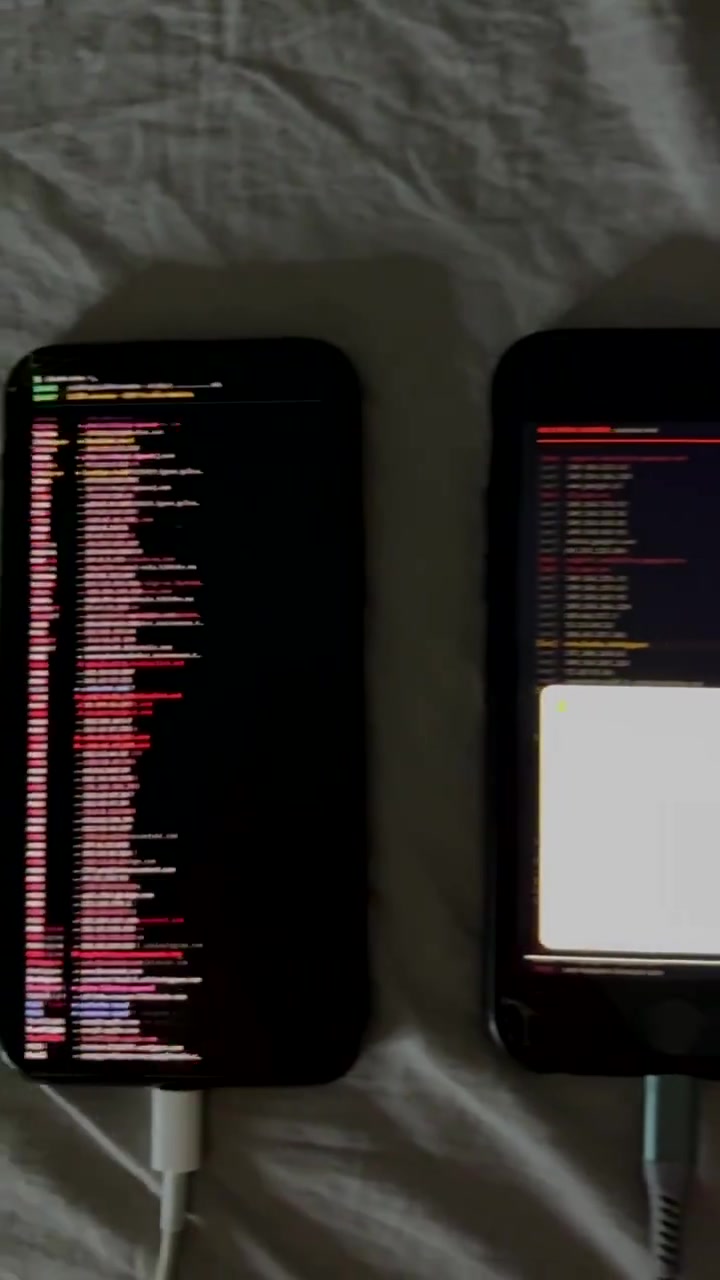
@0xSolty on X, 28 October 2026. Source: https://x.com/0xsolty/status/2115510808239120623.
The television. Google's own help pages say the ambient screensaver requires a signed-in Google Account and that the device can "access... photos and personalized content associated with your Google Account" — and that those preferences are removed only by a factory reset. A TV you gave away, sold, or left in a flat with the account still on it will keep playing that library whenever it is idle. Google Photos on TV supports slideshows explicitly, including automatically updating albums.
The fix is one page: google.com/devices lists every device and session signed into the account, and each can be signed out individually. Google notes a detail that also answers part of post two's own evidence: the "last active" time "represents the last time there was communication between the device or session and Google's systems" and includes background syncing — "you might see a time which is more recent than when you last used the device." A TV reporting activity at 23:40 is a TV talking to Google, not a person using it.
The keyboard. A free fonts keyboard installed for Instagram bios is a keyboard extension, and Apple's rules for those are specific. Out of the box a custom keyboard is sandboxed with no network access, so "users know that keystrokes go only to the app that's currently using the keyboard." The moment Allow Full Access is switched on, the keyboard "can send keystrokes and other input events for server-side processing", can reach Location Services and Contacts with permission, and can share a container with its host app. Apple's developer guidance tells keyboard makers to "use only for the purpose of text input."
Apple's design guidance draws the boundary that the post describes: a custom keyboard works "for text entry within any app, except when editing secure text fields and phone number fields." Passwords are out of its reach. Everything else you type with it is not.
What Claude Code added, and what it did not
Both posts used an AI coding agent to read the export. That is a sensible use of a spreadsheet-shaped file, with one caveat the posts do not mention: the App Privacy Report is the only part of this story that Apple guarantees stays on the device. The moment the export is handed to a cloud model, it leaves. If the file is sensitive, the tool reading it is part of the data flow.
The second caveat is the number at the top of this piece. A language model reading a log will summarise it, and a summary can put the right figure in the wrong column. The log is the evidence; the summary is a reading of it. Check the arithmetic against the screen before repeating it — we did, and the screen disagrees with the post.
What to do tonight
- Turn the log on. Settings → Privacy & Security → App Privacy Report. It records only from the moment you enable it, so give it a few days before drawing conclusions.
- Read it by app, not by total. Tap each app under Data & Sensor Access and look at when it accessed something. A map app using location while you are navigating is not a story; a shopping app using it at 3am might be.
- Tighten what you can live without. Microphone for anything that does not record; Photos to Limited for apps that only post; location to "While Using" rather than Always.
- Check your keyboards. Settings → General → Keyboard → Keyboards — any third-party keyboard with Allow Full Access cannot see passwords, but it can see everything else.
- Sign out the devices you no longer hold. google.com/devices for Google, and on iPhone, Settings → your name → the device list. A handed-on TV should be signed out or factory reset.
- Use the indicators. The orange and green dots are the live check, and Control Center shows which app is responsible.
Sources
- Apple, About App Privacy Report
- Apple, About the orange and green indicators in your iPhone status bar (updated 22 October 2026)
- Apple Developer, Configuring open access for a custom keyboard
- Apple Developer, Virtual keyboards
- Meta, Manage Instagram's access to suggest content
- Google, Set up ambient screensaver for Chromecast & Chromecast Ultra
- Google, See devices with account access
- Google Photos Help, Use Google Photos on your TV
- TikTok Support, Location services on TikTok
- WIRED, TikTok Is Now Collecting Even More Data About Its Users
- BBC News, TikTok US venture to collect precise user location data
- FTC, A Look Behind the Screens: Examining the Data Practices of Social Media and Video Streaming Services (September 2024)
- WIRED, How to Read Your iOS 15 App Privacy Report
- @0xCortiq on X, 28 October 2026
- @0xSolty on X, 28 October 2026
Sources
- support.apple.com - Apple's documentation for App Privacy Report: window, panels, on-device storage
- support.apple.com - Apple on the orange and green microphone and camera indicators
- developer.apple.com - what Allow Full Access permits
- developer.apple.com - custom keyboards are unavailable in secure text fields
- help.instagram.com - Meta's own account of why Instagram reads camera-roll metadata
- support.google.com - ambient screensaver needs a signed-in account; only a factory reset clears it
- support.google.com - reviewing and signing out devices, and what "last active" means
- support.google.com - Google Photos on TV, slideshows and ambient mode
- support.tiktok.com - TikTok's location controls
- ftc.gov - the FTC 6(b) report into social media data practices
- wired.com - TikTok's rewritten US policy and precise location
- bbc.com - same policy change, second outlet
- x.com - the first post, its claims and its attached clip
- x.com - the second post, the Google TV and the keyboard