
How to build a car ad with Claude Opus 5.5 and Seedance 2.5
JSFILMZ published a walkthrough of just under ten minutes that runs from the Higgsfield connector to two finished ad cuts. Here is every step, and the settings that decide the result.
Key takeaways
- Higgsfield's connector lives at https://mcp.higgsfield.ai/mcp, needs no API key, and signs in through OAuth from Claude's Customize then Connectors screen.
- Seedance 2.5 generates up to 30 seconds in one pass with audio made in the same pass, and accepts up to 30 images, 10 video clips and 10 audio clips as references.
- Higgsfield says generations through MCP, Canvas, CLI and Supercomputer always draw on your credit balance, even while an Unlimited Seedance offer is active on the web.
- Claude Opus 5.5, released September 22, 2026, costs $4 and $20 per million input and output tokens, and Anthropic says it is 40 percent cheaper to run than Opus 5.
A car commercial used to need a location, a crew and a production company. JSFILMZ published a walkthrough on September 24 that claims to get two of them, a UGC cut and a TV spot, out of one conversation with Claude Opus 5.5, Higgsfield's MCP connector and Seedance 2.5, in under six minutes of generation. This breakdown follows his chapter order, and the mechanics of each step come from Higgsfield's and Anthropic's own documentation.
JSFILMZ's own thumbnail, carrying the creator's likeness: Claude 5.5 plus Seedance 2.5, built on a car commercial. Image: JSFILMZ.
His tutorial runs just under ten minutes, split into seven chapters: an intro at 00:00, installing the connector at 00:29, a 2K base image at 01:03, market research at 01:43, the UGC and TVC scripts at 03:23, the Seedance results at 05:51, and his verdict at 07:02. The workflow is worth taking apart because every piece of it is documented, checkable, and free to start.
Step 1: connect Higgsfield to Claude (00:29)
The connector is a remote Model Context Protocol server, the same setup path Higgsfield walks through in five steps. Higgsfield publishes it at https://mcp.higgsfield.ai/mcp on its MCP page, and there is no API key: the server registers your Claude client itself and signs you in through OAuth, which is why the connection survives across sessions.
The path inside Claude is Customize, then Connectors, not Settings. Click Add custom connector, name it Higgsfield, paste the URL, save, then click Connect and sign in to Higgsfield when the browser opens. Higgsfield's own pages disagree on the route: its academy lesson names Customize, which matches Claude's live connector screen, while its blog walkthrough still tells readers to open Settings. Trust the live page, because the labels move.
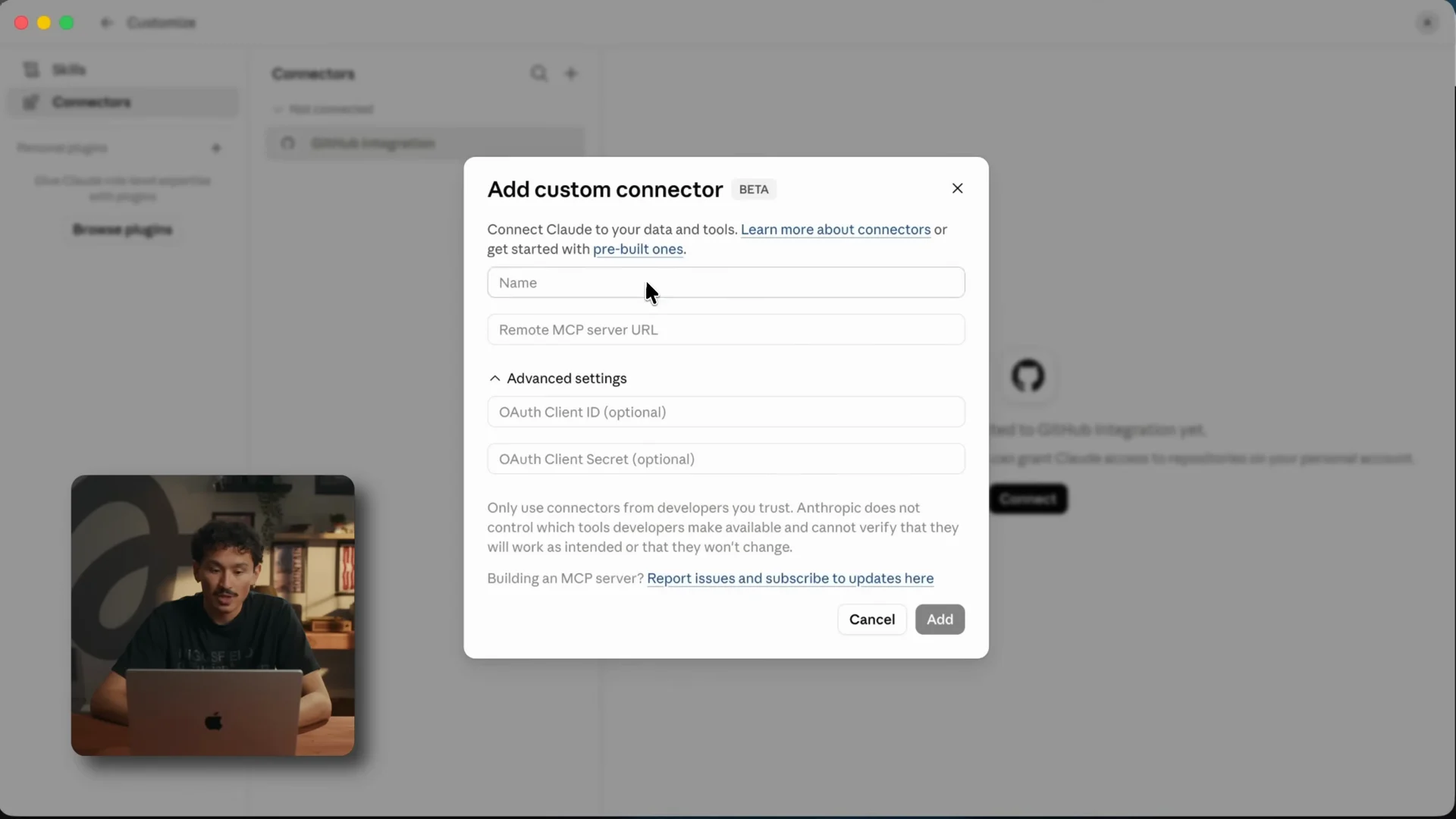
Claude's custom-connector dialog: a name, the remote MCP server URL, optional OAuth credentials, and a warning from Anthropic that it does not control what a third-party connector's tools do. Image: Higgsfield Academy.
Higgsfield's own academy gives three cautions that are worth more than the setup steps. Review the permission screens and enable only the tools this workflow needs, because a remote MCP server is a third party with access to your account. Test with disposable content rather than a client's product. And prove the round trip before you build anything on it: the connection is only working when Claude returns something you can open, a playable file or a result ID that resolves to media, not a written prompt and a claim that the task is done.
Two exceptions. Higgsfield's MCP page tells Claude Code and Codex users to skip the connector and install its CLI instead, npm i -g @higgsfield/cli followed by higgsfield auth login, a detail documented by MeltFlex AI. And on a managed Anthropic plan, an administrator may have to allowlist the URL before the connector appears at all.
Step 2: get a still before you ask for motion (01:03)
JSFILMZ generates a 2K base image first, inside the same conversation, then animates it. Higgsfield's own guidance agrees with that order for a reason worth knowing: image to video is more predictable than text to video and uses fewer credits while you are learning how the model reads your prompts. Prototype at a low resolution, lock the prompt, then run the final at full resolution.
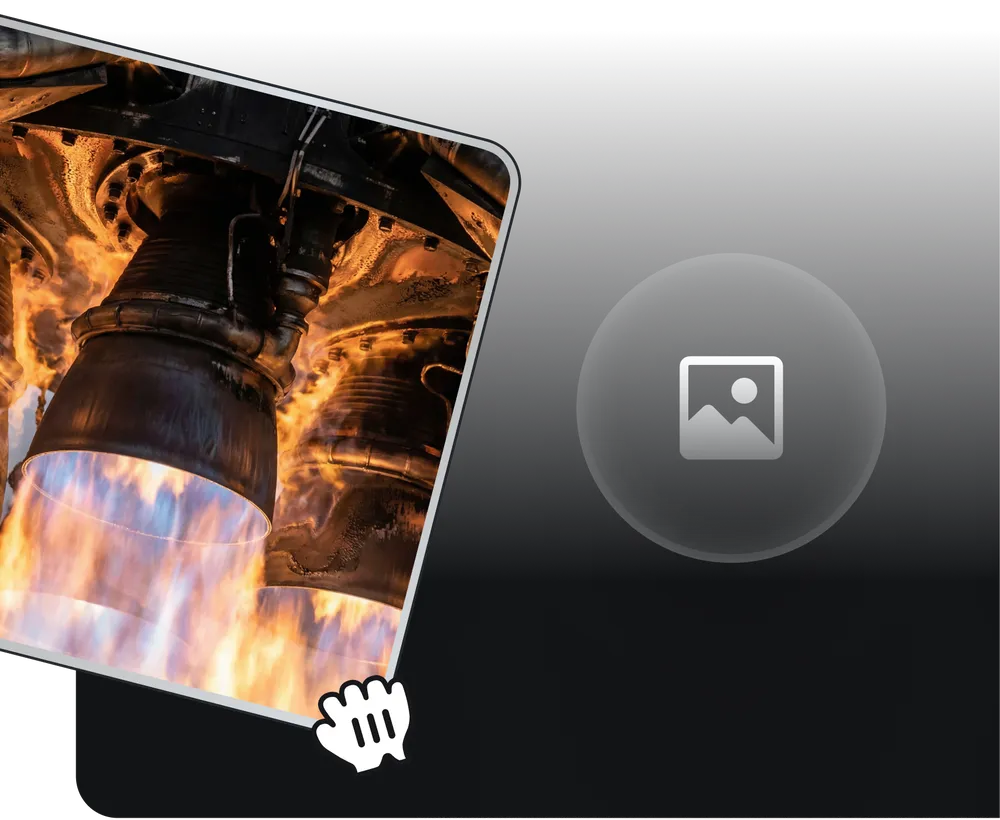
Higgsfield's own illustration of the first Seedance step: a reference image is uploaded to guide the look, character or environment. Image: Higgsfield.
For a car ad the still carries the whole look: the vehicle, the location, the grade. Everything after this step is movement and sound, so a bad base image is a bad commercial no matter what the prompt says.
Step 3: let the agent do the research (01:43)
The middle of the tutorial is the part that is not about video at all. The connector puts Higgsfield's models inside Claude, so the same thread that will generate the shots can first do the positioning: what the car is competing with, who the ad is for, which angle the spot should take. That is the argument for the whole MCP route rather than a browser tab, because the brief, the still and the renders stay in one context.
Opus 5.5 is a reasonable engine for that work. Anthropic released it on September 22, 2026 as the first model in its Claude 5.5 family, priced at $4 per million input tokens and $20 per million output, with cache reads at $0.20. Anthropic says it costs 40 percent less to run than Opus 5, generates output more than 30 percent faster, and scores 66.4 percent on Terminal-Bench 4.0, 81.8 percent partial on OSWorld 2.0 and 1846 on GDPval-AA v2.1, all Anthropic's own figures against its own and OpenAI's models.
Higgsfield sells the same idea as a preset. Its Paid Ads bundle includes an Ad Strategist workflow with the example prompt "Research this product and its competitors, then create 5 static Meta ads with distinct angles", which is the shortcut version of the step JSFILMZ does by hand.
Step 4: write two scripts, one UGC and one TVC (03:23)
He generates both formats off the same product, which is the cheapest way to see which one the campaign wants. Higgsfield defines them clearly enough to script against. UGC is face-to-camera product review, selfie framing, natural speech, genuine reactions, shot in iPhone style. TV Spot is broadcast-ready, cinematic camera work, real-world locations and a story arc, described as one prompt producing a complete commercial.
The script becomes a Seedance prompt, and Seedance rewards a specific order: subject and action first, setting and lighting second, camera move third, mood or style last. The camera vocabulary is worth copying because the model reads these terms directly rather than guessing at them: dolly in, truck left, arc shot, push in, pull back wide, handheld follow, crane up, orbital move. Sound goes in the prompt too. Higgsfield's own example ends with a sound line, "SFX: station ambient noise, announcements in the background", and ambience, foley and score are generated in the same pass as the picture.
Step 5: generate in Seedance 2.5 (05:51)
ByteDance announced Seedance 2.5 on July 31, 2026. It generates up to 30 seconds in a single pass with multi-round extension, and it takes up to 30 images, 10 video clips and 10 audio clips as references, which on a car ad is how you hold the vehicle, the location and the wardrobe steady across shots.
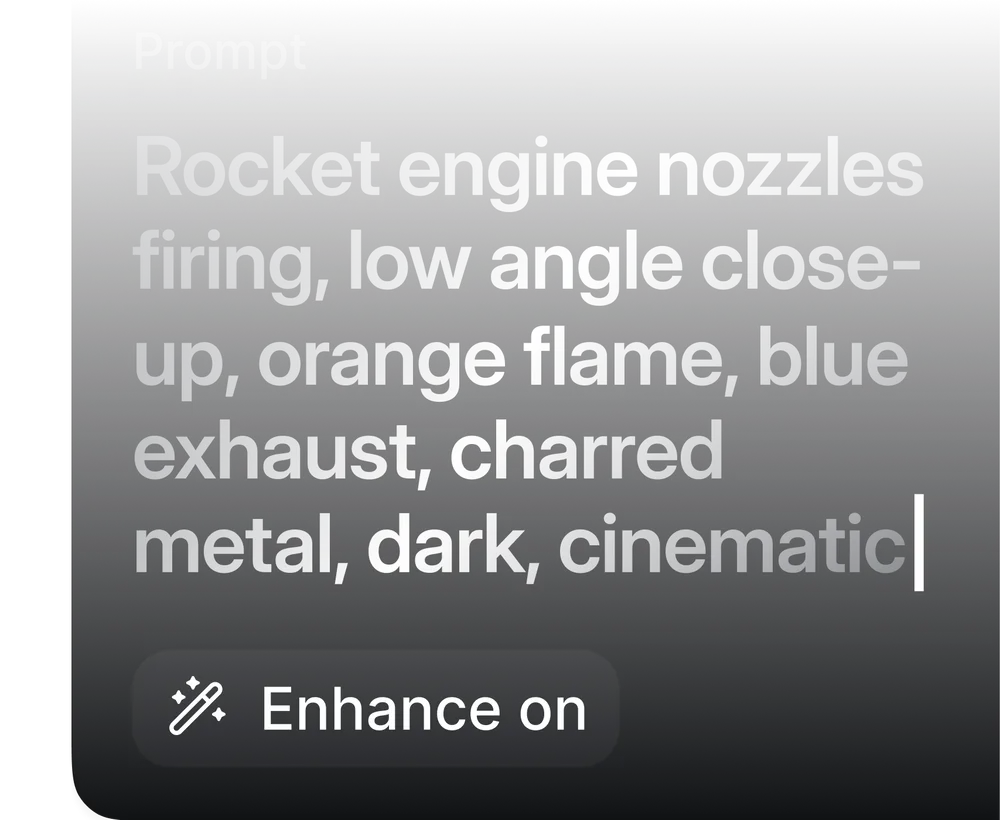
The prompt field in Higgsfield's Seedance flow, with an Enhance toggle. Its own example is a short shot list rather than a paragraph. Image: Higgsfield.
The settings that matter on Higgsfield are the model variant, the resolution and the clip length, and Higgsfield's help centre publishes the numbers for each variant. Seedance 2.5 runs up to 1080p on Pro and Plus plans and above, at 4 to 30 seconds; Seedance 2.0 runs 480p to 4K at 4 to 15 seconds; Seedance 2.5 Edit is the separate model for changing a clip you already have, at 480p to 720p and matched to the source clip's length. Aspect ratios run from vertical 9:16 to widescreen 21:9, and the sound toggle does not change the credit cost. Resolution and duration are what move it, and Higgsfield puts the exact figure on the Generate button.
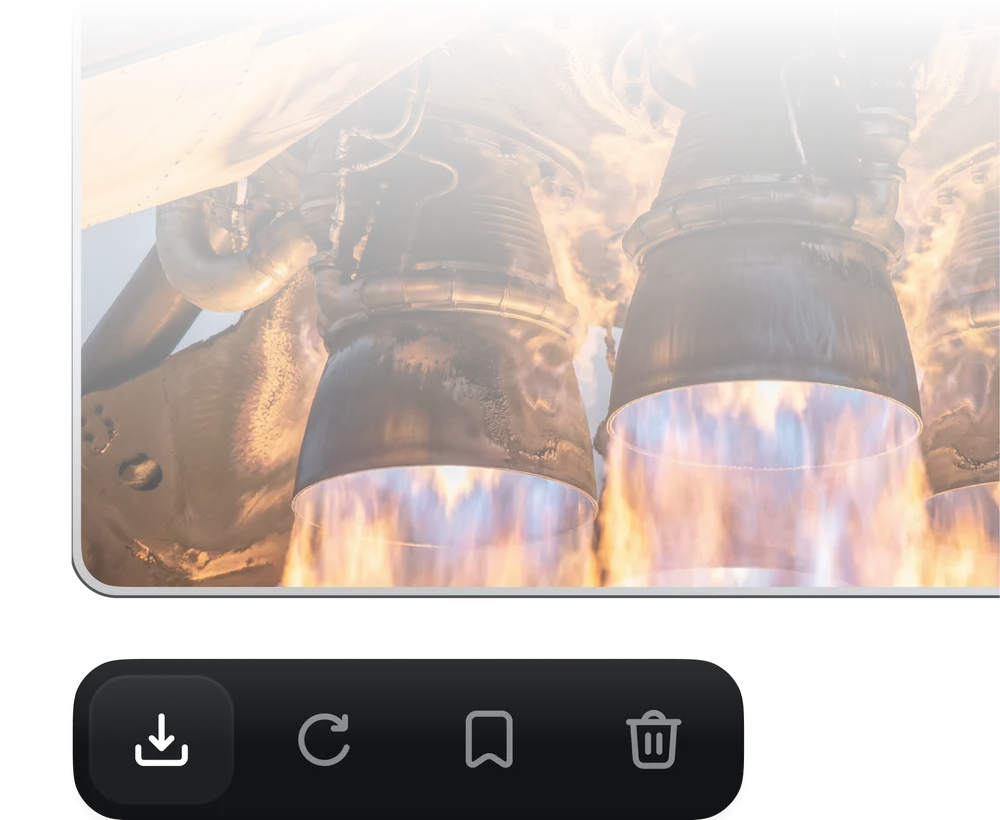
The result step: the clip lands in the conversation and in your Higgsfield workspace with download, re-run, save and delete controls. Image: Higgsfield.
Step 6: fix the shot instead of re-rolling it
Two habits separate a usable ad from a folder of near misses. Change one thing per iteration, the prompt or the reference, never both at once, so you know what caused the difference. And review the whole clip rather than the first two seconds, because most quality problems show up at the five to eight second mark when the motion has to hold.
When something small is wrong, region-level editing is the cheaper route. Seedance 2.5 supports editing a marked area on the frame, plus timestamp-level control over audio and video, so a face or an object gets replaced without regenerating the take. For the joins between clips, generate the final frame of one shot and the opening frame of the next and use them as first and last frame references.
What it costs, and the two traps
The connector is free and the generations are not. MeltFlex, which queried the live server and published its own screenshots, lists Higgsfield's annual plans at 200 credits for $15 a month, 1,000 credits for $39 and 3,000 credits for $99, and notes that the credit equivalences on the pricing page are stated in Nano Banana Pro images or Seedance videos rather than minutes.
Higgsfield is running an Unlimited Seedance offer of up to 33 days, and the details are the trap. The Seedance 2.5 side of the offer is capped at 720p on every tier, clip length ranges from 10 to 30 seconds depending on plan and billing period, monthly billing starts at Plus, and the Unlimited toggle in the model menu has to be switched on before you generate. Miss the toggle and generations quietly come out of your credit balance instead. The written rule is blunter still: generations through MCP, Canvas, CLI and Supercomputer always deduct credits regardless of any Unlimited access on the web. If you are running the JSFILMZ workflow, you are paying per clip.
What to take from it
The tutorial's real argument is that the pipeline no longer needs four tools and three handoffs. Brief, research, still, script, clip and fix all happen in one thread, and the connector is what makes the thread continuous. The claims to hold at arm's length are the timings, since "two ads in under six minutes" and Higgsfield's own "from product link to video ad in 2 minutes" are both vendor or creator numbers with no independent test behind them.
What is documented and checkable is the part that decides your bill: the model variant you pick, the resolution, the clip length and whether the Unlimited toggle is on. Start at 720p on one 5-second clip, prove the round trip, then scale the take that works.
Sources
- youtube.com - JSFILMZ's tutorial: title, description, chapter list, claims
- higgsfield.ai - MCP endpoint, models, connection route
- higgsfield.ai - the five setup steps, requirements, what the connector reaches
- higgsfield.ai - Seedance variants, resolution and duration table, prompt structure, reference types, iteration advice, MCP credit rule
- higgsfield.ai - Seedance 2.5 features and the three generation steps
- seed.bytedance.com - ByteDance's own Seedance 2.5 announcement, launch date, capabilities
- higgsfield.ai - UGC and TV Spot preset definitions, aspect ratios
- higgsfield.ai - connector setup cautions and the round-trip test
- anthropic.com - Opus 5.5 release date, pricing, benchmarks, speed
- higgsfield.ai - Unlimited Seedance terms, resolution ceiling, clip lengths by tier, the toggle
- meltflexai.com - Claude Code CLI route, OAuth metadata, plan prices