
Seed Audio 1.5 promises six-minute scenes and separate tracks
ByteDance's next audio model adds video dubbing, stem separation and six-minute generations, and it has slipped past the date its partners were given.
Key takeaways
- Pippit lists SeedAudio 1.5 with four generation modes, including text plus video and text plus audio plus video, and output separated into dialogue, ambience, effects and music tracks.
- Against Seed Audio 1.0, the new model doubles reference audio from three files to six and triples the maximum generation from two minutes to six.
- ByteDance's own roadmap for Seed Audio 1.0 in July named video references, long-form output and multitrack generation as the next steps, and 1.5 delivers all three.
- BytePlus's pre-release brief pointed to September 21, 2026, but as of September 24 Segmind still lists the model as coming soon, CapCut calls it upcoming and Pippit presents it as available.
ByteDance's next audio model is turning up in three different places under one name, and it is not on ByteDance's own model pages yet. Seed Audio 1.5, which Pippit also spells SeedAudio 1.5, generates dialogue, ambience, sound effects and music for a scene in one pass, now with the option of feeding it a video, and returns the result as separate tracks instead of one mixed file.
This is a pre-release roundup: the vendor pages describe it in detail, one partner says it was due on September 21, and no API pricing has been published.
What Seed Audio 1.5 does
Pippit, ByteDance's browser-based video and marketing tool, publishes the fullest description. It lists four generation modes: text to audio, text plus a reference voice to audio, text plus video to audio, and text plus audio plus video to audio. That last mode is the new one, and it is what makes the model useful to anyone cutting picture first.
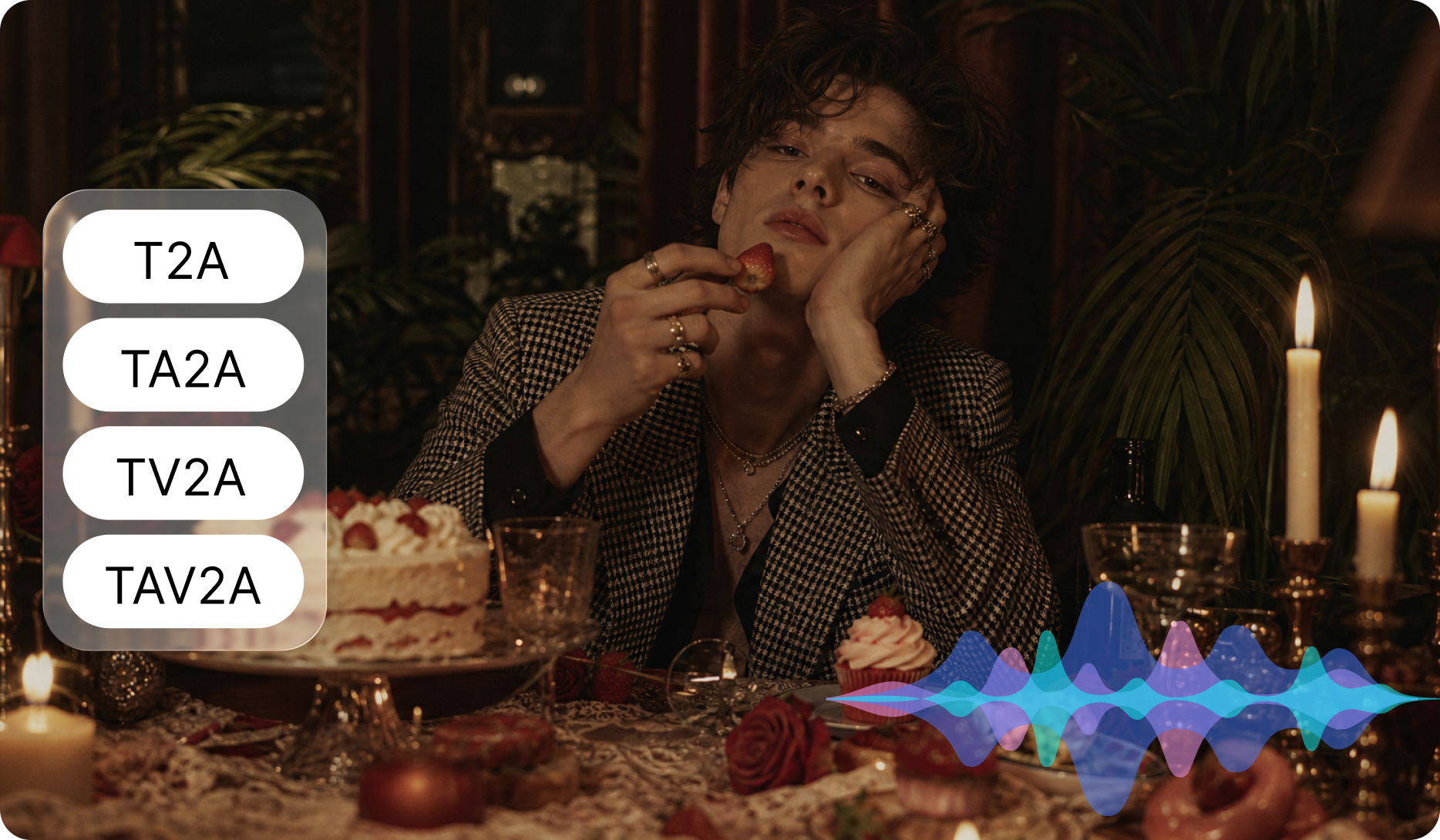
Pippit's own illustration of the four modes: text to audio, text plus reference audio, text plus video, and text plus audio plus video. Image: Pippit.
CapCut's version of the page describes the same four modes in workflow terms. Text to audio is for the project that starts as words, where you describe characters, paste dialogue, set emotion and pace, and add room tone, action sounds, transitions and music. Text plus reference audio is for holding a voice: up to six reference files guide timbre while you direct emotion, style, speaking speed and non-speech vocalisation in plain language. Text plus video is for audio that has to follow the cut, where the model reads the visuals and writes voiceover, music, effects and ambience to match the action. Text plus audio plus video is the reference-rich path, where picture, prompt and voice reference all feed one generation.
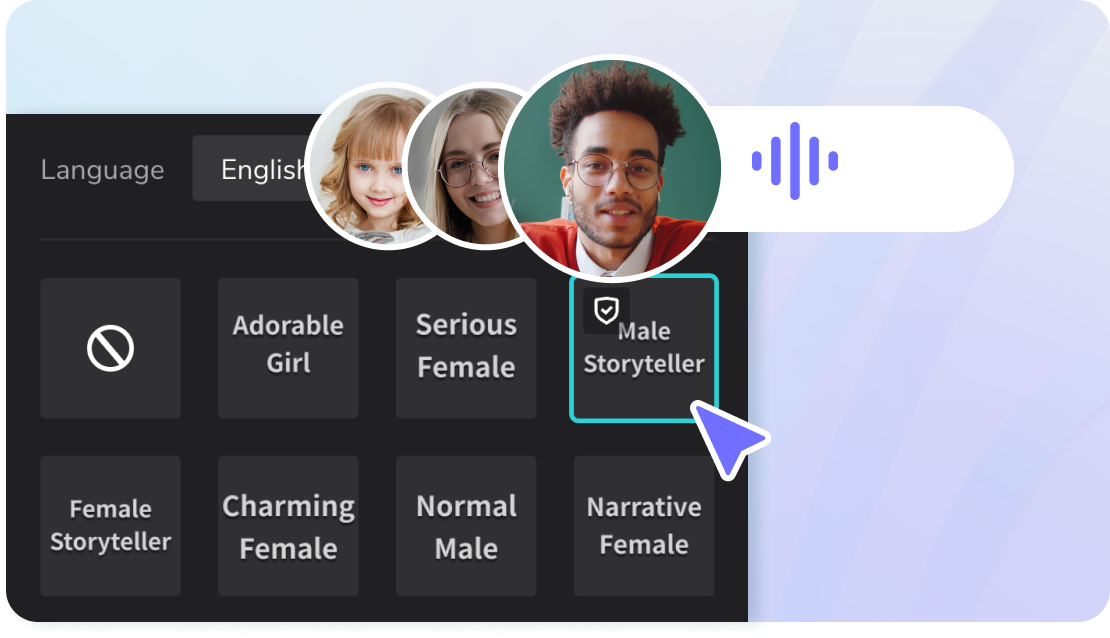
The voice side of CapCut's audio tools: a language selector and preset deliveries such as Serious Female or Narrative Female. Seed Audio 1.5 is documented as accepting up to six reference audio files for that job instead. Image: CapCut.
The change that matters is stems
Version 1.0 returned one mixed track. Pippit says 1.5 outputs dialogue, ambience, effects and music as separate tracks, so an editor can change the level of one layer, mute it, or replace it without regenerating the whole soundscape. A partner brief adds that separate tracks are produced per voice as well.
That is the difference between a finished asset and a working one. A dub that arrives as a mix means a fix costs a whole regeneration, and a mix that is slightly wrong on one line is unusable. Stems mean the same output can go into a timeline, be ducked under a new edit, or have one character re-recorded as a track rather than as a scene.
The model also carries timestamp placement, so you can specify where a line, effect or musical cue lands instead of describing the sequence and hoping. Being able to time a cue and then move it as its own stem is the combination that makes generated audio behave like production audio.
Six minutes, six references, thirty languages
Against 1.0, Pippit lists two capacity changes: reference audio files go from three to six, and maximum generation goes from two minutes to six. Six reference files means six speaking roles in one project, each with its own sample. Six minutes means a short drama scene or a narrated sequence can be one generation rather than a chain of extensions.
CapCut's page puts language coverage at 30, across three tiers, and warns that a fluent reviewer should still check pronunciation, meaning, emotion and cultural phrasing before publishing. Its partner brief lists the set, from Chinese, English, Japanese and Korean through Mexican and Castilian Spanish, Brazilian and European Portuguese, Arabic with a Saudi accent, Hindi, Turkish, Dutch, Polish and the Nordic languages.
One naming note worth keeping straight: a CapCut page still carries image captions that call the model Seed Audio 2.0, and Pippit's alt text says Seedaudio 2.0 upgrade. Treat the version string on any page you are reading as part of the claim, not as decoration.
What 1.0 was, and the roadmap 1.5 just closed
Seed Audio 1.0 shipped on July 20, 2026, and its own page described the same core idea one step smaller. It modelled voice, sound effects and ambience inside a unified framework rather than as separate tasks, using a single acoustic encoder that maps the audio elements of a scene into one shared representation. A language model structures the creative intent into scene-level controls, and a diffusion-based acoustic generator renders the audio in a latent space that stays steerable by character, emotion, timing and scene context. It supports dialogue timing at 100 millisecond intervals, generates up to two minutes per pass with continuation, and covers 20 or more languages.

ByteDance's own image for Seed Audio 1.0, which framed the model around the scene rather than the sentence. Image: ByteDance Seed.
Its evaluation was vendor-run and should be read that way. ByteDance reported preference wins against two unnamed leading commercial services of +0.79 and +0.73 CMOS, plus absolute gains on its own availability and high-quality rates of 35.0 and 62.9 percentage points against the first and 22.7 and 62.7 against the second. It also reported a usable-audio rate above 90 percent across most of the scenarios it tested, which included film and television, short drama, animation, podcast dialogue and live commerce, and naturalness MOS above 4.0 for most languages.
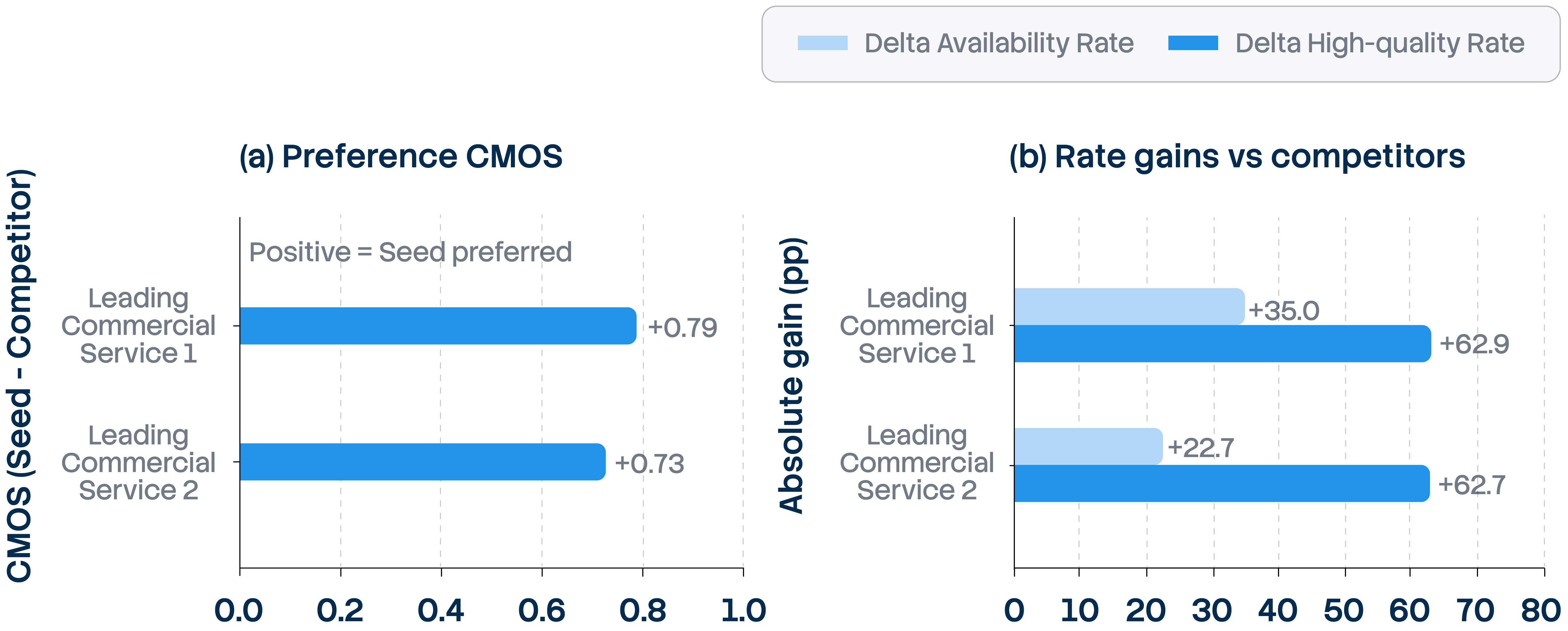
ByteDance's evaluation chart for Seed Audio 1.0: preference against two unnamed commercial services, and its own rate gains. Vendor-run figures, with the competitor names withheld. Image: ByteDance Seed.
The interesting part is what the same page promised next. ByteDance said it would support additional input modalities including video references, address long-form audio and multitrack generation, and explore controllable multilingual translation. Seed Audio 1.5 is those three items arriving together: video in, six minutes out, and separate tracks. ByteDance has not published a 1.5 model page, so the roadmap's own author is currently the quietest party in the release.
Where this sits next to Seedance's audio
ByteDance already generates sound inside its video models, and the two approaches are worth not confusing. Seedance 1.5 pro is a joint audio-video model with native audio generation, and Seedance 2.5 produces ambience, foley and score in the same pass as the picture, with audio counting among its 50 reference inputs. That is sound decided by the shot.
Seed Audio 1.5 is the other direction: build the sound scene, optionally watching the picture, and get the layers back. For a creator the practical difference is where the audio lives. If the sound is baked into the clip, every audio change costs a video regeneration, and video generation is the expensive part. If the audio arrives as stems, the picture stays where it is while the sound gets fixed.
There is a known friction point to plan for either way. Seedance 2.0 takes audio references directly, and a workflow guide published on the SeeGen AI site records that this can drift: the generated audio can sound similar to the reference while its rhythm and intervals come out different, which shows up most with music. The workaround the guide documents is to split the source audio into segments, wrap each one in a black screen MP4 with its original track, and pass that video as the reference instead, because the model follows it more closely. That is the kind of seam Seed Audio 1.5's dedicated audio path is meant to remove, and it is worth testing rather than assuming.
Limits, and what is not known
Pippit states three content limits on the model: it cannot generate copyrighted content, recognisable imitations of a real person's voice without permission, or specific branded logos and lyrics. Its partner brief separately promises song generation with lyrics, which suggests the restriction sits on reproducing existing material rather than on singing. If your project involves a real voice, that permission requirement is on you, not on the model.
Also unresolved: how the discrepancy in language counts should be read. ByteDance's 1.0 page says 20 or more languages, while the partner brief lists six preset-voice languages for 1.0 next to 30 for 1.5, which likely counts preset voices rather than languages. And there is no published price. The brief that pointed to a September 21 release also carried the caveat that the version is not final and features can still change, which is worth holding onto given that it is now past that date with no API access open.
What it means for AI video work
Three workflows get easier if the documentation holds. Localisation becomes a picture problem rather than an audio problem: a finished cut goes in, and you get a dub plus a score that follow the visuals, with the original effects and music preserved when you translate rather than dub from scratch. Short-drama and episodic work gains room, because six minutes covers a scene that used to be three chained generations and stem output means an episode's sound can be revised without touching the renders. And ad work gets a faster version of the same loop: score the cut, then fix only the layer the client objects to.
The habit worth building now is the one CapCut's own guidance describes: write the scene in the order a listener experiences it, keep narrative intent ahead of a list of unrelated sounds, generate a focused first version, then revise only the detail that needs stronger direction. Stems make that last step cheap, and cheap revision is what turns a generated scene into a finished one.
The entry points are uneven, which tells you where the release actually stands. On Pippit, the model page and its create buttons are live. On CapCut, it is described as an upcoming generator you would finish inside CapCut Web. On the developer side, a partner's listing is still marked coming soon with no pricing, and Seed Audio 1.0 remains the version available through BytePlus while you wait.
Sources
- pippit.ai - Pippit's product page: four modes, stems, dubbing, 3 to 6 references, 2 to 6 minutes, stated limits
- capcut.com - CapCut's page: mode-by-mode workflow, six reference files, six minutes, 30 languages, voice asset reuse, and its Seed Audio 2.0 image captions
- seed.bytedance.com - ByteDance's Seed Audio 1.0 model page: architecture, 100 ms timing control, two minutes, 20+ languages, evaluation, and the roadmap
- seed.bytedance.com - the 1.0 announcement: scene framing, unified framework, evaluation method, what comes next
- seed.bytedance.com - Seedance 1.5 pro, the joint audio-video model
- seed.bytedance.com - Seedance 2.5: audio generated with the picture, 50 references
- segmind.com - partner brief: stems per voice, translation keeping SFX and music, 30-language list, comparison table, 21 September window
- higgsfield.ai - Seedance 2.5's synchronized audio in the same pass and its 50 references: 30 images, 10 video clips, 10 audio files
- seegen.ai - workflow guide documenting the Seedance 2.0 reference-audio drift and the black screen MP4 workaround